Shopify discovery with Go
Build a repeatable pipeline for niche research and lead lists
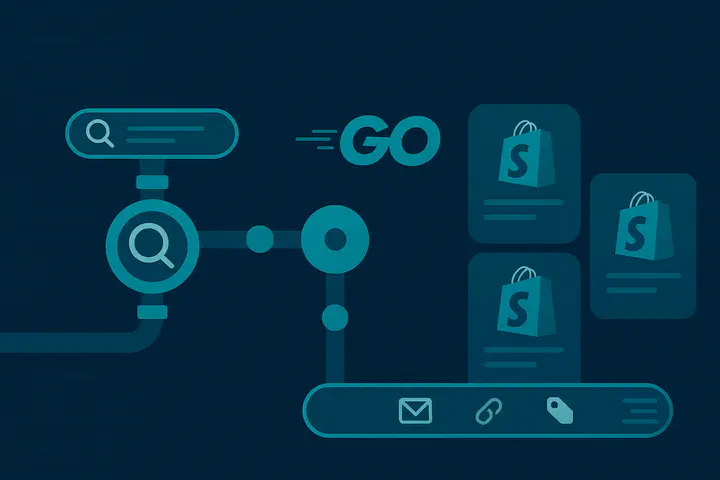
Shopify discovery for niche research
If your sales team pings you on Friday asking for “every Shopify store selling gluten-free dog treats in North America” before their Monday outreach sprint, you either open fifty tabs or automate the whole thing. In this post I will sketch the automation path: discover the stores, normalize their metadata, and enrich them with catalog information. The examples use Go because that is what powers my Shopify Store Finder Apify actor.
Every Shopify shop exposes an internal *.myshopify.com hostname. Most brands mask it with their own domain, but the subdomain remains resolvable and indexed. That quirk is the easiest fingerprint to start with: ask Google for pages limited to the myshopify.com host and tack on your niche keywords.
package main

import (
	"fmt"
	"net/url"
)

func main() {
	query := `site:myshopify.com "ceramic knives"`
	searchURL := "https://www.google.com/search?q=" + url.QueryEscape(query)
	fmt.Println(searchURL)
}
If you paste the output in a browser you will see result pages belonging to Shopify stores. Programmatically, the same URL becomes the input for your SERP collector.
Accessing search results without tripping every alarm
The biggest practical problem is not parsing HTML, but making repeated requests without being blocked. You have two options:
- Pay for official access (Google Programmable Search, SerpAPI, etc.).
- Maintain an unofficial scraper.
Going the DIY route means you need an endpoint that renders HTML without client-side JavaScript, strong residential proxies, and believable user agents. Using browser automation is overkill; Google still serves plain HTML to regular HTTP clients when you meet specific criteria like using an allowlisted User-Agent.
client := &http.Client{
	Timeout: 8 * time.Second,
	Transport: &http.Transport{
		Proxy: http.ProxyURL(proxyURL), // rotate over a residential proxy pool
	},
}

req, err := http.NewRequest("GET", searchURL, nil)
if err != nil {
	log.Fatal(err)
}
req.Header.Set("User-Agent", randomAgent()) // list of reverse-engineered user agents

res, err := client.Do(req)
if err != nil {
	log.Fatal(err)
}
defer res.Body.Close()
body, _ := io.ReadAll(res.Body)
Once you have the HTML, locate result anchors that point either to *.myshopify.com or to domains that redirect to one. Keep the normalization strict—strip tracking query parameters, normalize schemes, and deduplicate before handing the URLs to the scraper. That deduped queue becomes the lead list seed your marketing team is asking for.
doc, _ := goquery.NewDocumentFromReader(bytes.NewReader(body))
doc.Find("a").Each(func(_ int, s *goquery.Selection) {
	link, ok := s.Attr("href")
	if !ok {
		return
	}
	clean := normalizeSerpLink(link) // unwrap /url?q=...&sa=...
	if isShopify(clean) {
		queue.Store(clean)
	}
})
The helper isShopify can check for myshopify.com hosts or look for Shopify specific cookies when you fetch the page. In the actor I also keep track of the earliest appearance date to prioritize pages that have been in the index longer.
Scraping storefront metadata
For each Shopify URL, request the landing page and extract semantic metadata plus the Shopify-specific script payloads. The regular metadata gives you title, description, canonical URL, favicon, and Open Graph image. Shopify extra information lives in bootstrap scripts that set Shopify.shop, Shopify.locale, and JSON blobs with theme and feature data. This is exactly what the actor does in pkg/service/parser.go.
resp, err := client.Get(storeURL)
if err != nil {
	return err
}
defer resp.Body.Close()

doc, _ := goquery.NewDocumentFromReader(resp.Body)
title := strings.TrimSpace(doc.Find("title").Text())
desc, _ := doc.Find(`meta[name="description"]`).Attr("content")
ogImg, _ := doc.Find(`meta[property="og:image"]`).Attr("content")

var bootstrap string
doc.Find("script").EachWithBreak(func(_ int, s *goquery.Selection) bool {
	src := s.Text()
	if strings.Contains(src, "var Shopify = Shopify || {}") {
		bootstrap = src
		return false
	}
	return true
})

theme := extractJSON(`Shopify\.theme\s*=\s*(\{[^;]+\})`, bootstrap)
features := extractTagJSON(doc, "#shopify-features")
You can keep those fragments as raw JSON or parse them into structured fields. Feed the metadata into your enrichment pipeline: deduced country, storefront language, contact email scraping, or theme detection.
Mining the JSON endpoints
Most shopify websites leave the default REST endpoints open. Hitting /products.json, /collections.json, or /pages.json returns structured data about the catalog and non-product content. Shopify caps responses at 250 items per request, so fetch in batches and stop when you have enough.
type Product struct {
	Title string   `json:"title"`
	Tags  []string `json:"tags"`
}

type ProductResponse struct {
	Products []Product `json:"products"`
}

func fetchProducts(ctx context.Context, baseURL string, limit int) ([]Product, error) {
	req, _ := http.NewRequestWithContext(ctx, "GET",
		fmt.Sprintf("%s/products.json?limit=%d", baseURL, limit), nil)
	res, err := http.DefaultClient.Do(req)
	if err != nil {
		return nil, err
	}
	defer res.Body.Close()
	if res.StatusCode != http.StatusOK {
		return nil, fmt.Errorf("unexpected status %d", res.StatusCode)
	}
	var payload ProductResponse
	if err := json.NewDecoder(res.Body).Decode(&payload); err != nil {
		return nil, err
	}
	return payload.Products, nil
}
Repeat the same pattern for /pages.json to capture static content, where you can sometimes find also contact details such as phone numbers, addreses or emails.
Combining these feeds with the metadata harvested earlier gives you enough structure to rank stores by activity, product breadth, currency, or website age.
Prefer to run it, not build it?
I have already gone through the pain of implementing all the pieces explained here: Google discovery, deduplication, metadata parsing, JSON harvesting, proxy management, etc. If you would rather focus on the output than on keeping the scraper alive, the Shopify Store Finder Apify actor already ships with these pieces wired together and battle-tested against rate limits.
Enter your keywords, download the dataset, and move on to the actual analysis.

Iñigo Garcia Olaizola
The Golang Automation Guy
software engineer, gopher, triathlete, husband & father.